C-D-theory
📘 Containerization Class – 12 February
🔹 Topic: Bind Mount, Volume, and Tmpfs in Docker
In this class, we learned how to manage data in Docker using bind mounts, volumes, and tmpfs mounts.
📌 Reference Link
🔗 https://upessocs.github.io/#dir=/Lectures/Containerization%20and%20DevOps/Theory/&file=201%20Data%20Management%20in%20Docker%20with%20volume%20bind-mount%20and%20tempfs%2017-20.md
📝 Task 1: Create Bind Mount
Bind mount is used to link a folder from the host system to the container.
Steps:
- Create a folder on the host system.
- Mount it inside the container using bind mount.
- Access the folder inside the container.
📝 Task 2: Use Volume in Container
Docker volumes are used to store container data permanently.
Steps:
- Create a Docker volume.
- Attach the volume to a container.
- Store data inside the volume.
- Verify the data.
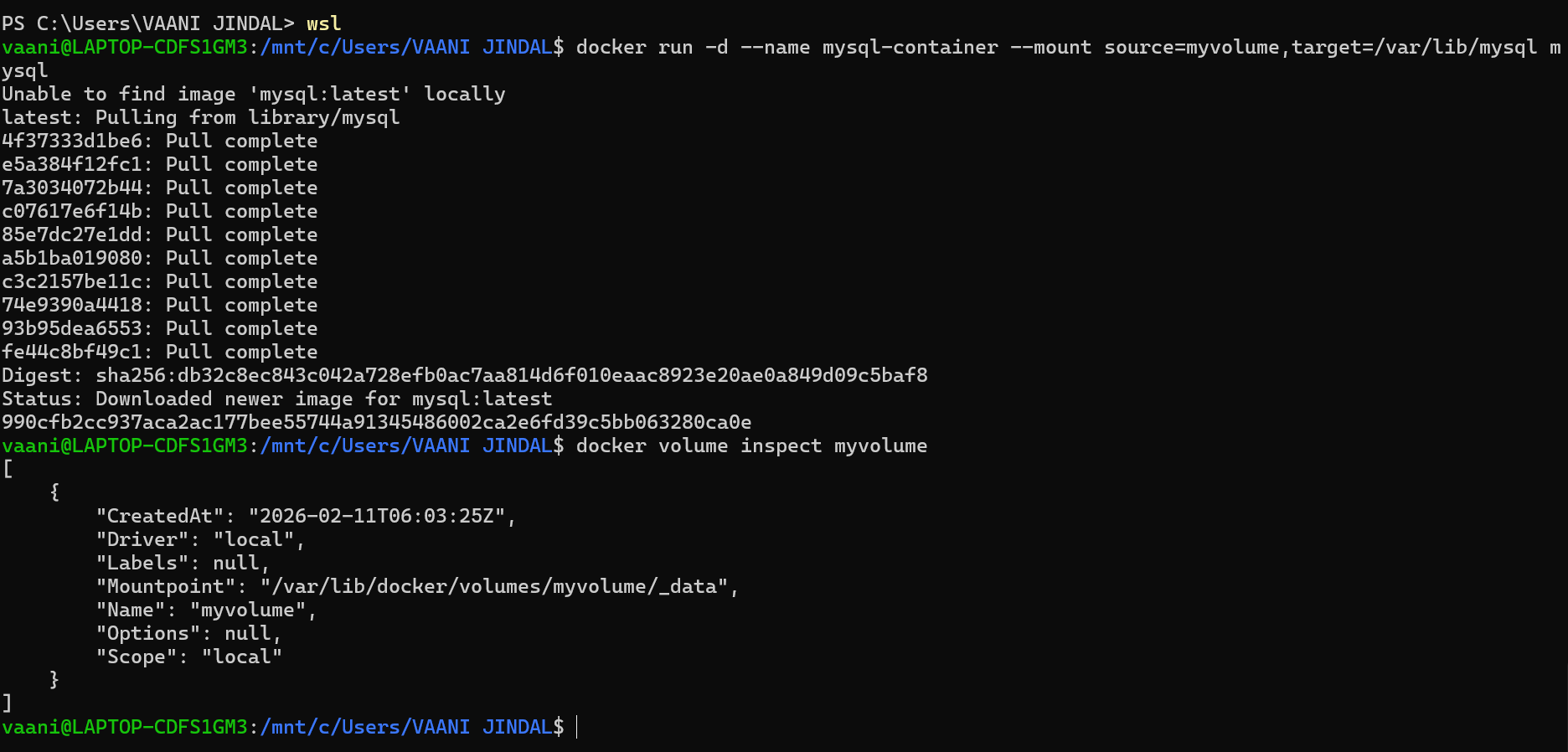
📝 Task 3: Inspect Volume
Volume inspection is used to see details of a volume.
Steps:
- Use inspect command on volume.
- Check mount path and configuration.
Output Screenshot
📝 Task 4: Create Tmpfs Mount
Tmpfs mount stores data temporarily in memory.
Steps:
- Run container using tmpfs mount.
- Store temporary data.
- Verify that data is removed after container stops.
Output Screenshot

✅ Conclusion
In this experiment, we learned:
- How to use bind mounts
- How to create and use volumes
- How to inspect volumes
- How to use tmpfs for temporary storage
These techniques help in managing persistent and temporary data in Docker containers.