C-D-theory
📅 Containerization Class – 18 February
🔹 Topic: Networking in Docker
Reference Link:
https://upessocs.github.io/#dir=/Lectures/Containerization%20and%20DevOps/Theory/&file=202%20Networking%20in%20Docker.md
This experiment focuses on understanding Docker networking, including default bridge networks, custom bridge creation, and container communication.
✅ Task 1: Inspect Default Bridge Network
This task involves checking the default Docker bridge network and understanding its configuration.
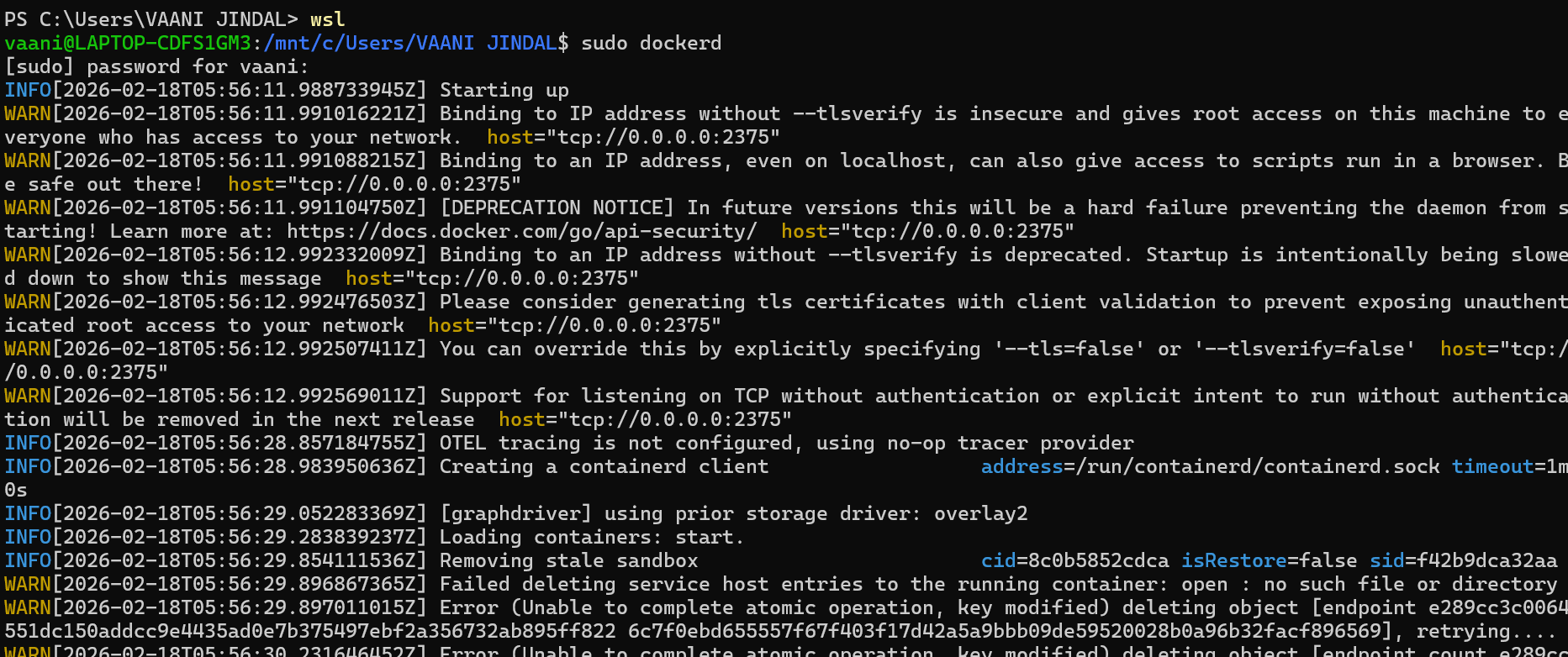
Screenshot 1: Default Bridge Network Details
Shows the inspection output of the default bridge network.
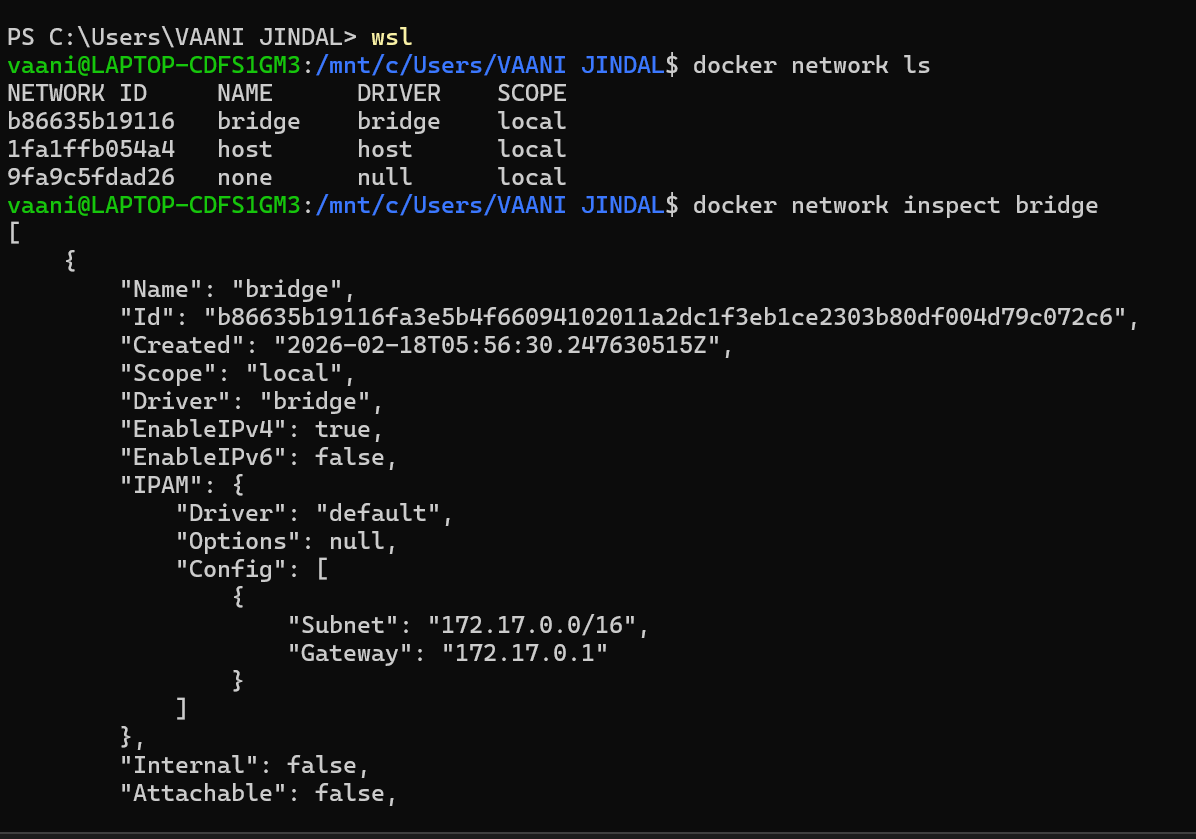
Screenshot 2: Network Configuration Output
Displays IP range, gateway, and connected containers.
✅ Task 2: Create Custom Bridge Network
In this task, a new custom bridge network is created to avoid IP conflicts.
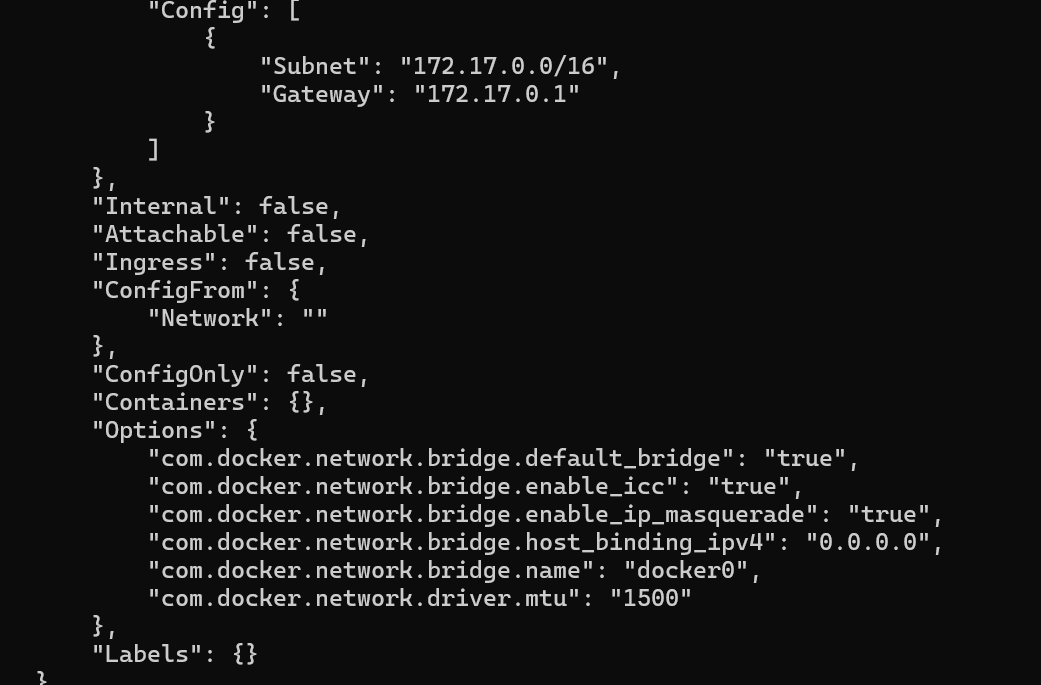
Screenshot 3: Custom Network Creation
Shows the command used to create a new bridge network.
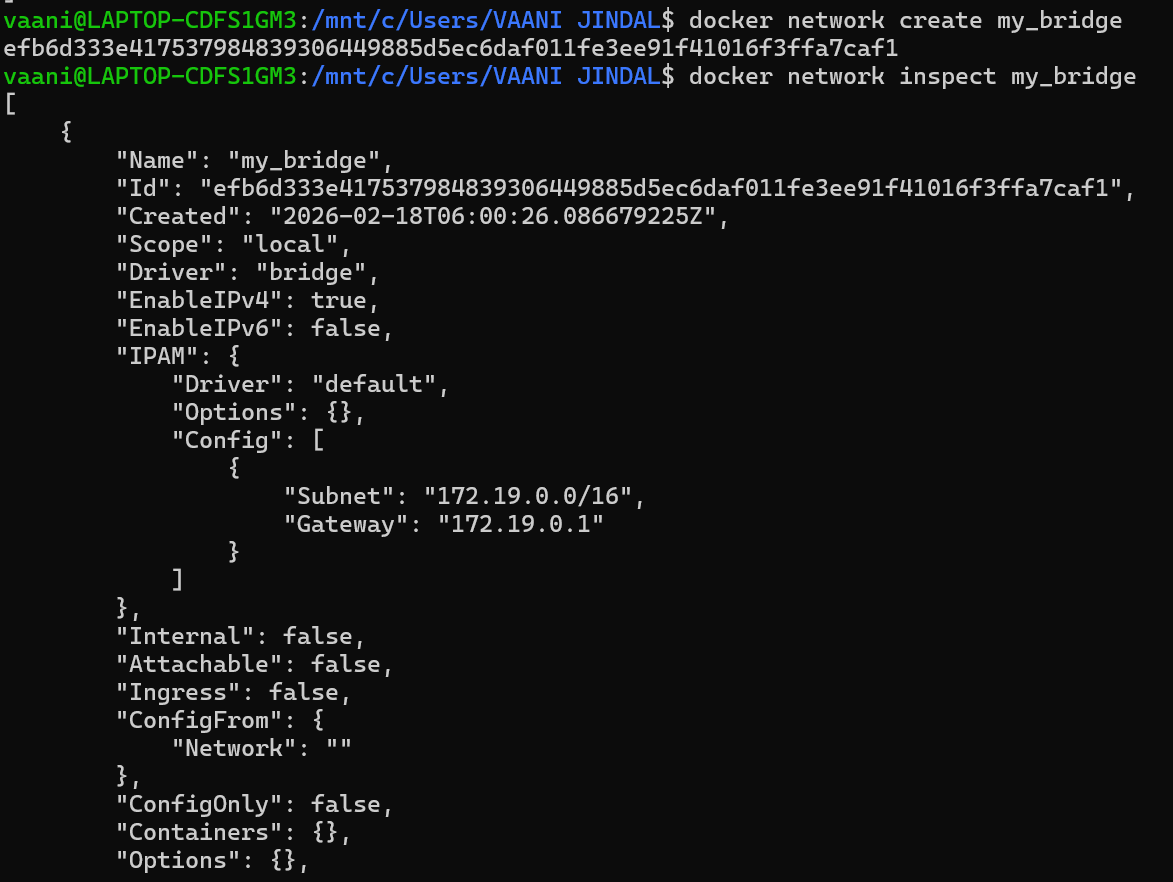
Screenshot 4: Custom Network Inspection
Displays subnet and gateway details of the custom network.
✅ Task 3: Run Containers in Same Network
Here, multiple containers are connected to the same custom network.
Screenshot 5: Running Containers in Network
Shows containers running inside the custom bridge network.

Screenshot 6: Container Network Details
Displays assigned IP addresses to each container.
✅ Task 4: Test DNS and Communication
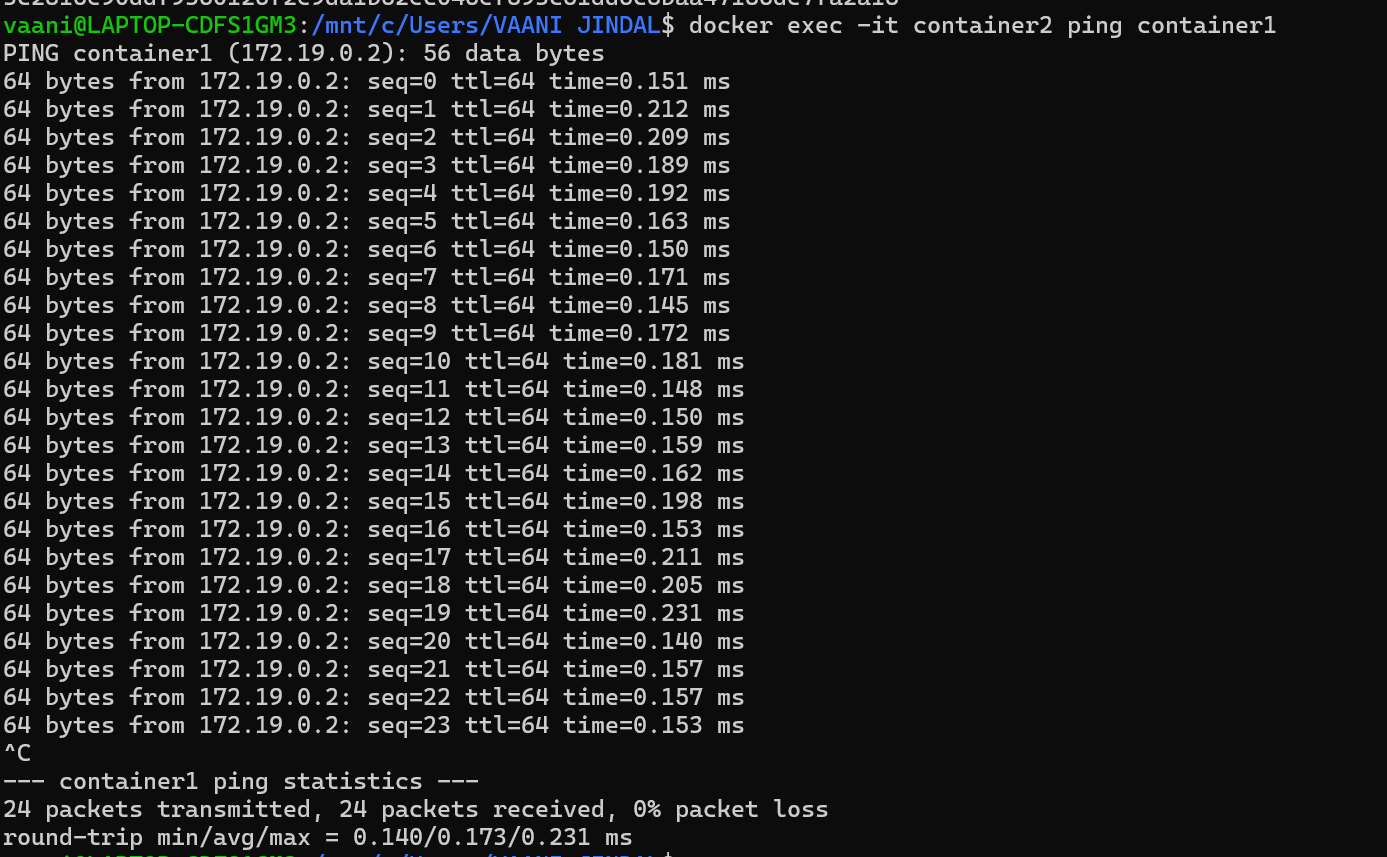
This task verifies communication between containers using container names.
Screenshot 7: DNS Testing Between Containers
Shows successful ping and DNS resolution between containers.

Screenshot 8: Host-to-Container Network Check
Demonstrates checking network connectivity from host to container.

📌 Conclusion
In this experiment, we learned how to:
- Inspect the default Docker bridge network
- Create a custom bridge network
- Connect multiple containers to the same network
- Test container-to-container communication using DNS
- Verify network connectivity from the host system
This helps in building scalable and isolated container-based applications using Docker networking.