C-D-theory
Containerization Class – 28 January
Task: Build Java Application Using Dockerfile
Objective
To build and run a Java application using a Dockerfile.
Description
In this task, a Dockerfile was created to build a Java application image. The image was then executed to run the Java program inside a container.
This experiment helped in understanding how Docker can be used to automate application building and deployment.
Steps Performed
- Created a Dockerfile for the Java application
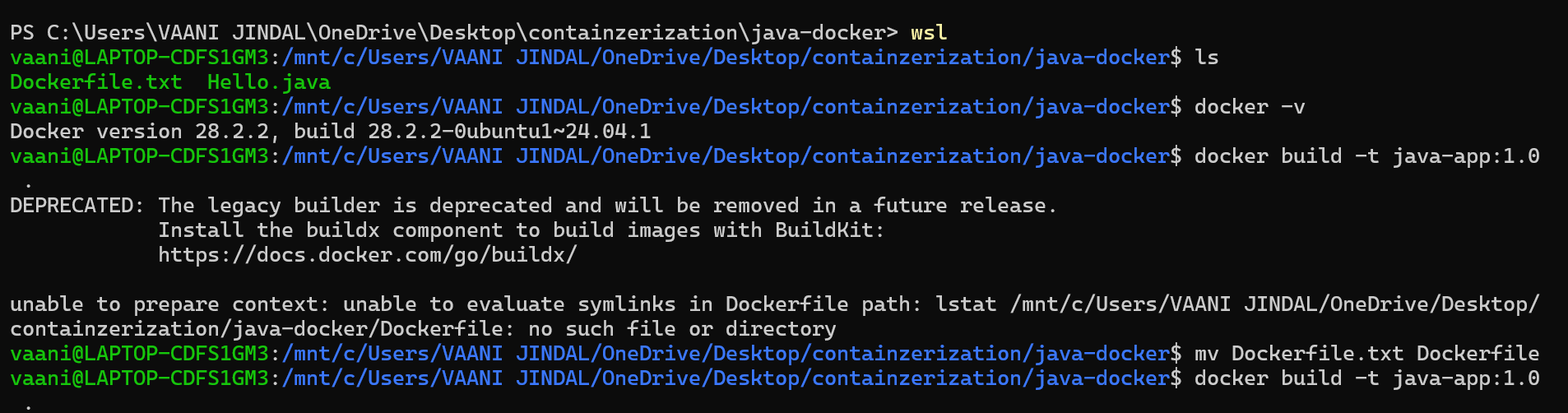
- Renamed the file to Dockerfile
- Built the Docker image
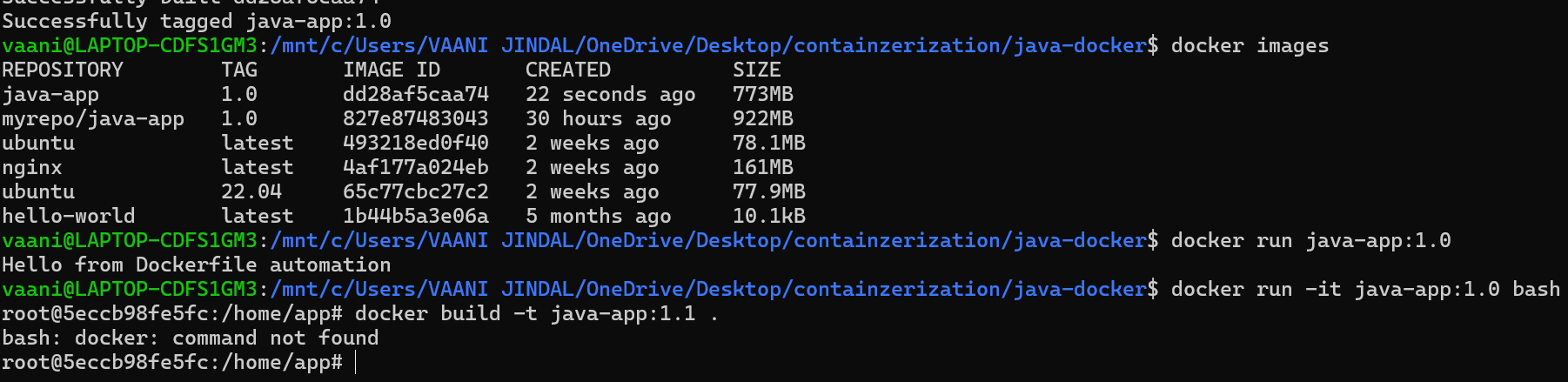
- Verified the created image
- Ran the container using the built image
Output Screenshots
Screenshot 1: Docker Build Process
Screenshot 2: Running Java Application
Observation
- The Docker image was built successfully.
- The Java application compiled without errors.
- The container executed the program correctly.
- Both build and execution processes were verified.
Conclusion
The Java application was successfully built and executed using Dockerfile.
This experiment improved understanding of image creation, container execution, and application deployment using Docker.