C-D-theory
Containerized Web Application with PostgreSQL using Docker Compose and Macvlan
NAME:VAANI JINDAL
BATCH: 2(CCVT)
SAP:500119144
1. Introduction
This project demonstrates the containerization and deployment of a web application using Docker technologies. The application consists of a Node.js backend connected to a PostgreSQL database. Docker Compose is used to orchestrate the containers, while Docker networking concepts such as Macvlan and bridge networking are demonstrated.
The objective of the project is to understand containerized deployment, service orchestration, persistent storage, and networking using Docker.
2. Project Objectives
The main objectives of this project are:
- Design a containerized web application
- Use PostgreSQL as the database
- Implement backend API using Node.js
- Build Docker images using Dockerfiles
- Use Docker Compose for multi-container orchestration
- Demonstrate container networking concepts
- Implement persistent storage using Docker volumes
3. Project Architecture
The system architecture consists of two containers:
- Backend Container (Node.js + Express)
- Database Container (PostgreSQL)
The backend communicates with the PostgreSQL container through a Docker network.
5. Backend Implementation
The backend is implemented using Node.js and Express.
The backend server connects to the PostgreSQL database using the pg library and provides an API endpoint.
This endpoint queries the database and returns the current time from PostgreSQL.
6. Dockerfile Implementation
Backend Dockerfile
The backend Dockerfile builds the Node.js application container.
Key steps include:
- Using the Node.js base image
- Installing dependencies
- Copying application files
- Exposing port 3000
Database Dockerfile
The PostgreSQL container is built using the official PostgreSQL image and configured using environment variables.
7. Docker Compose Configuration
Docker Compose is used to run multiple containers together.
The configuration defines:
- Backend service
- Database service
- Docker network
- Persistent volumes
8. Container Build Process
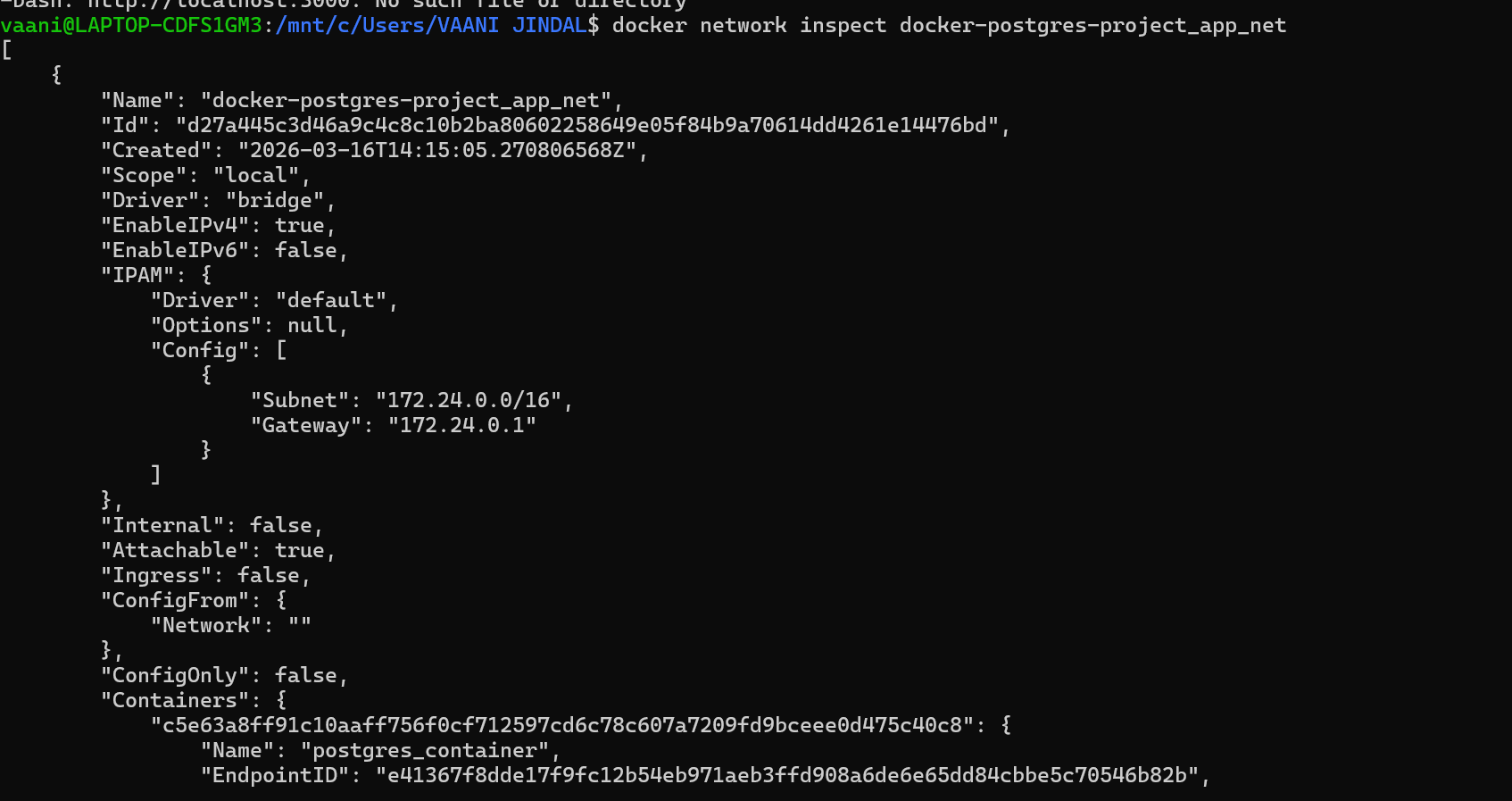
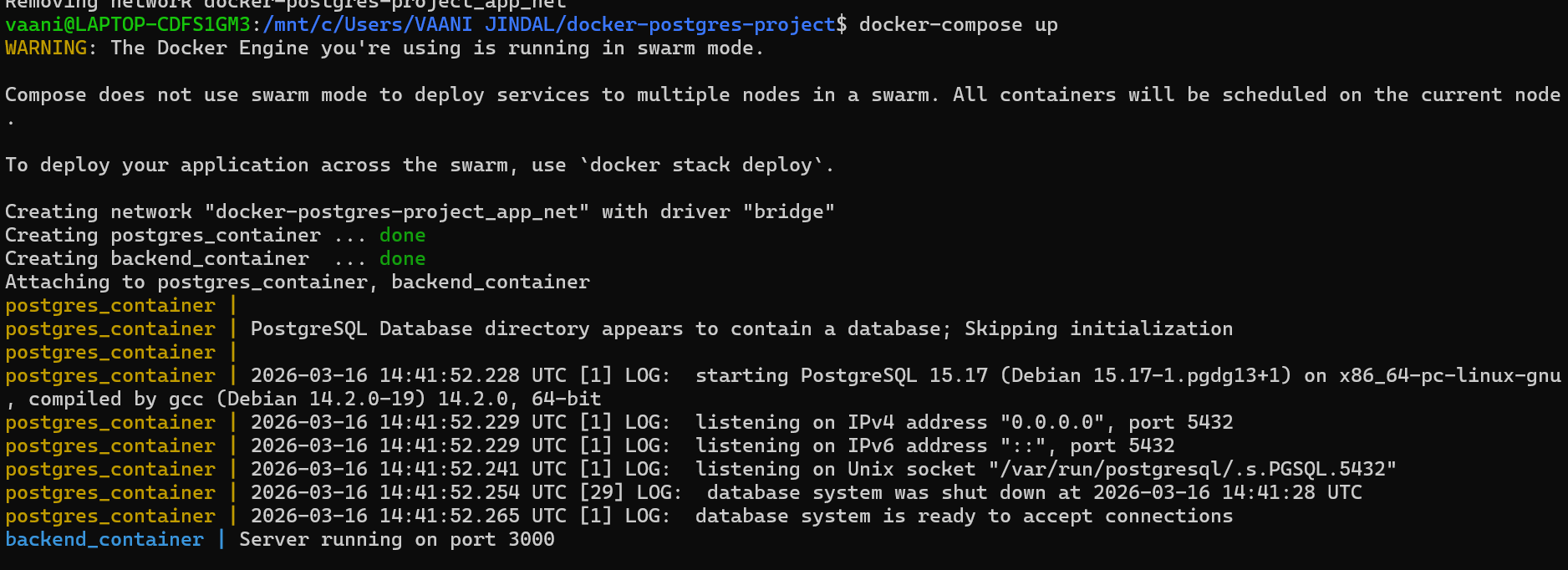
The following screenshot shows the container build process and service initialization.
9. Container Execution
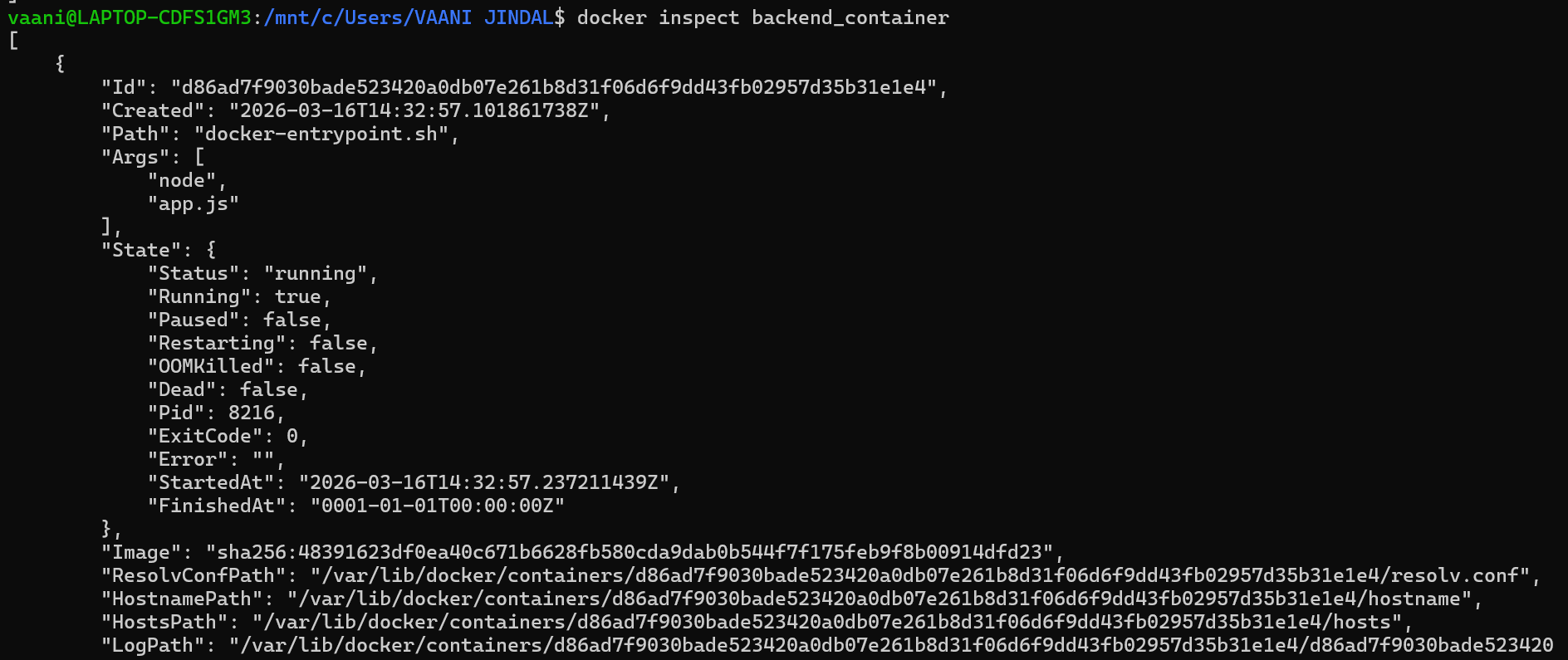
The containers are started using Docker Compose.
The backend container starts the Node.js server and connects to PostgreSQL.
10. Running Containers
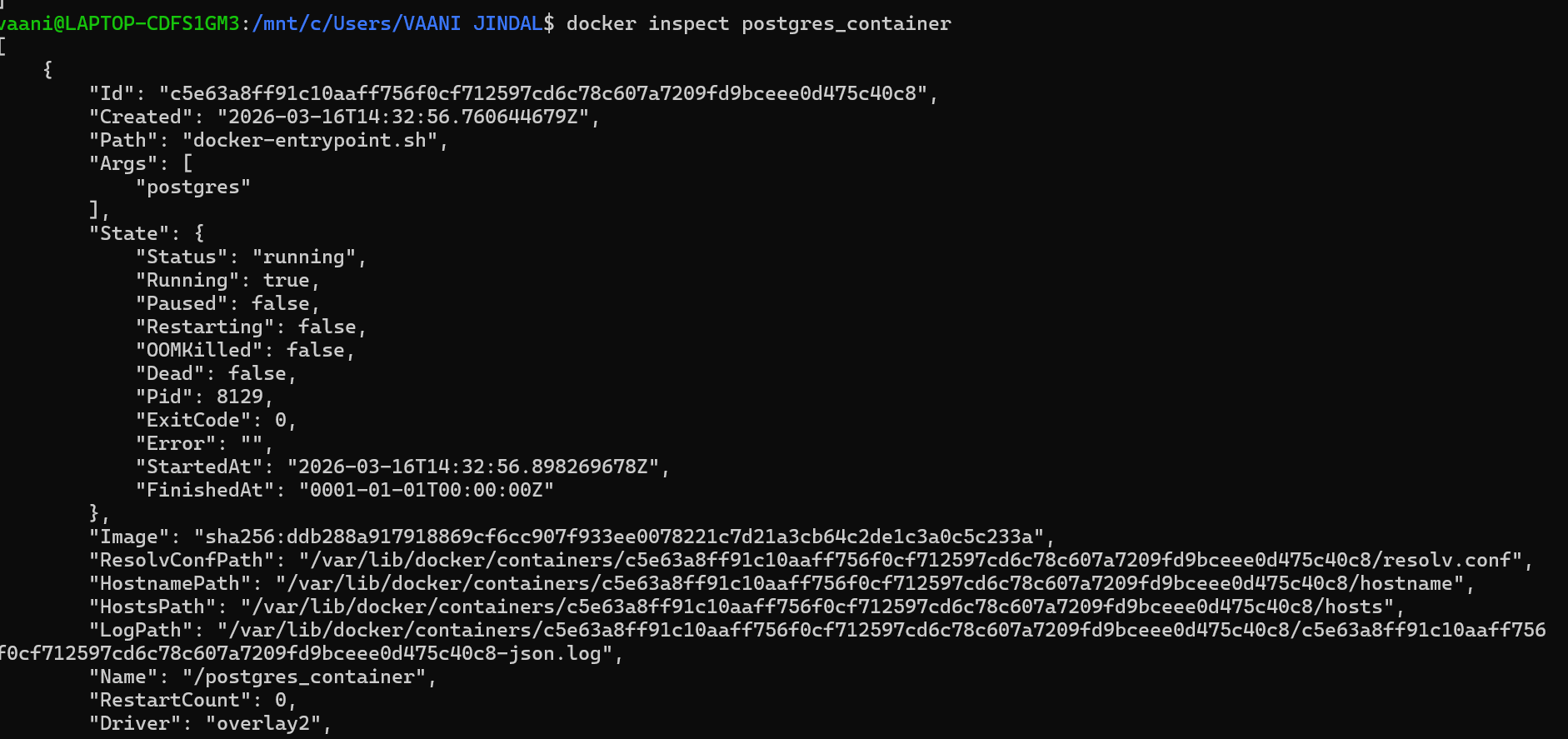
The following screenshot shows the running containers using the docker ps command.
11. Docker Network Inspection
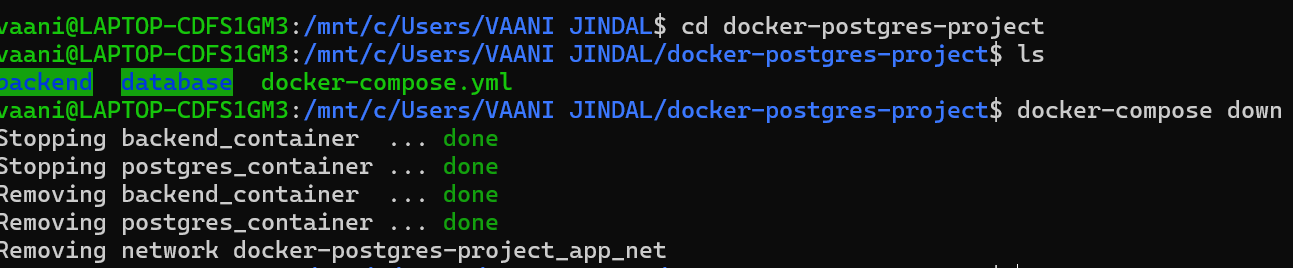
Docker networks allow containers to communicate with each other.
The network inspection command used:
Screenshot:
12. Container IP Address
Each container receives an IP address within the Docker network.
Screenshot showing container details:
13. Volume Persistence Test
Docker volumes are used to persist database data even when containers are stopped or restarted.
Screenshot showing volume persistence:

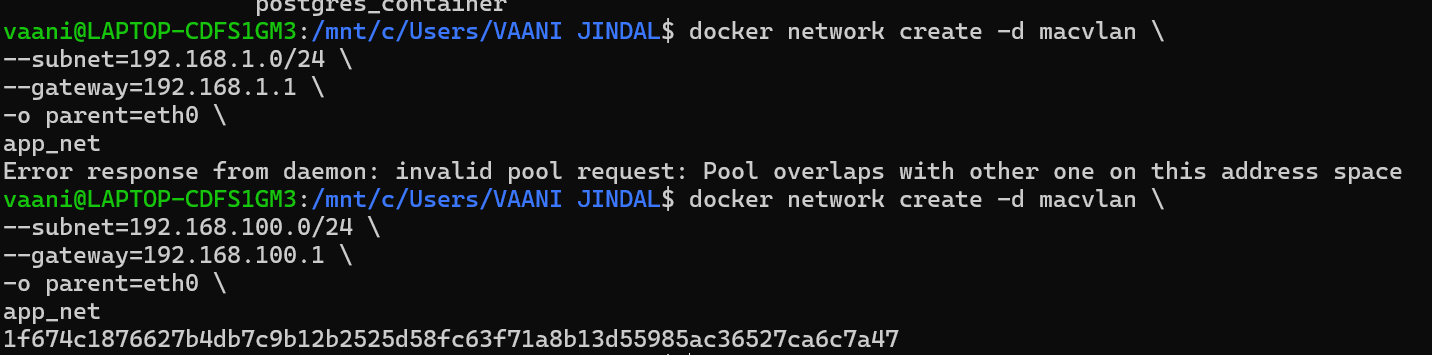
14. Macvlan Network Creation
Macvlan networking allows containers to appear as physical devices on the network.
Screenshot:

15. Application Output
The backend successfully connects to PostgreSQL and returns the database timestamp.
Example output:
Screenshot:
16. Image Size Comparison
| Image | Approx Size |
|---|---|
| Node.js Base Image | ~350 MB |
| PostgreSQL Image | ~300 MB |
Using optimized Docker builds helps reduce image size and improve deployment performance.
17. Macvlan vs Ipvlan Comparison
| Feature | Macvlan | Ipvlan |
|---|---|---|
| IP per Container | Yes | Yes |
| Performance | High | Very High |
| Isolation | Strong | Moderate |
| Complexity | Moderate | Higher |